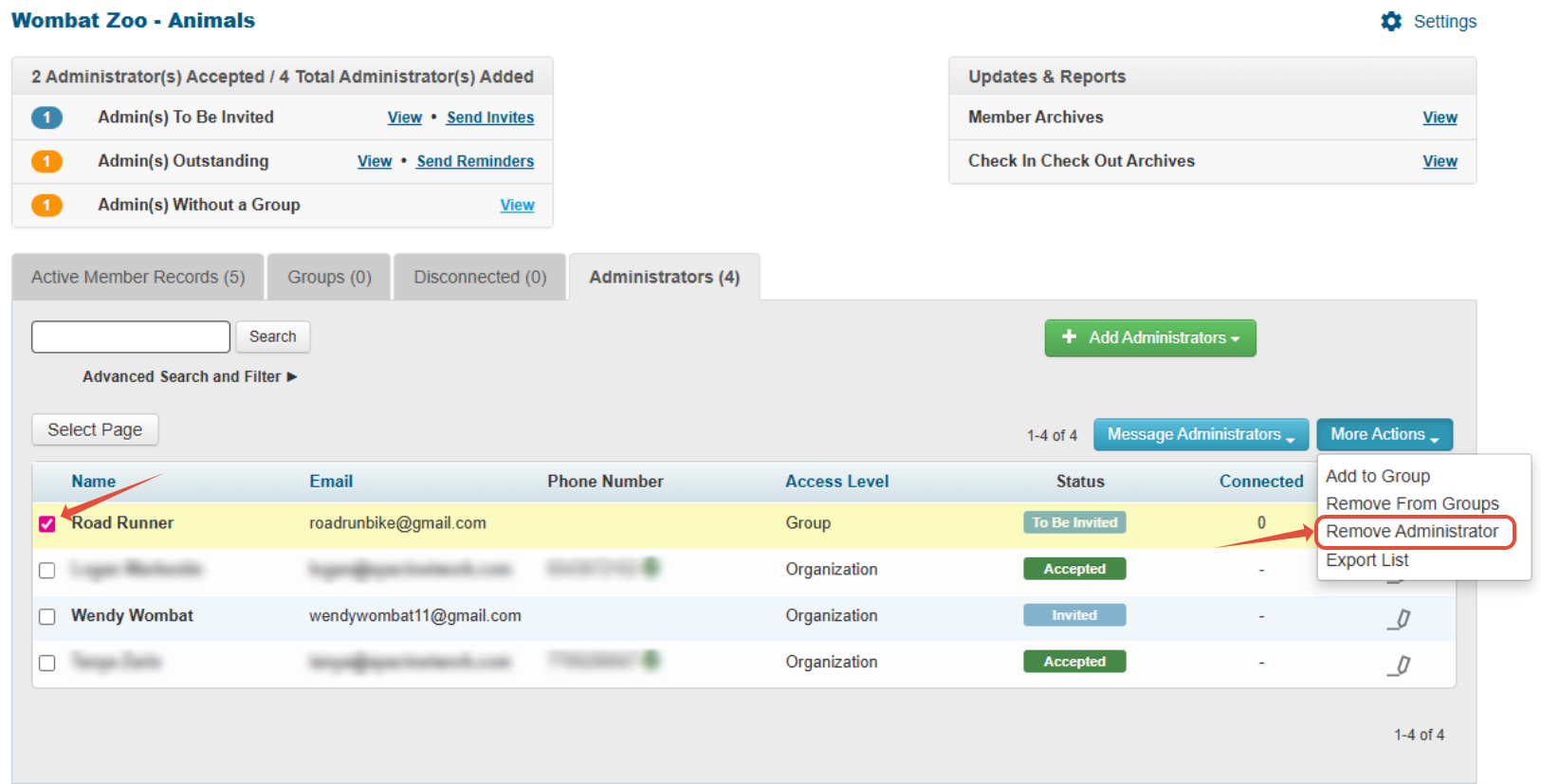
Removing an Organization or Group Administrator ends their access to member records immediately.
- Go to the Administrators tab.
- Select the administrator(s) to remove. To remove several, filter the list, then use Select All/Page or select them one by one.
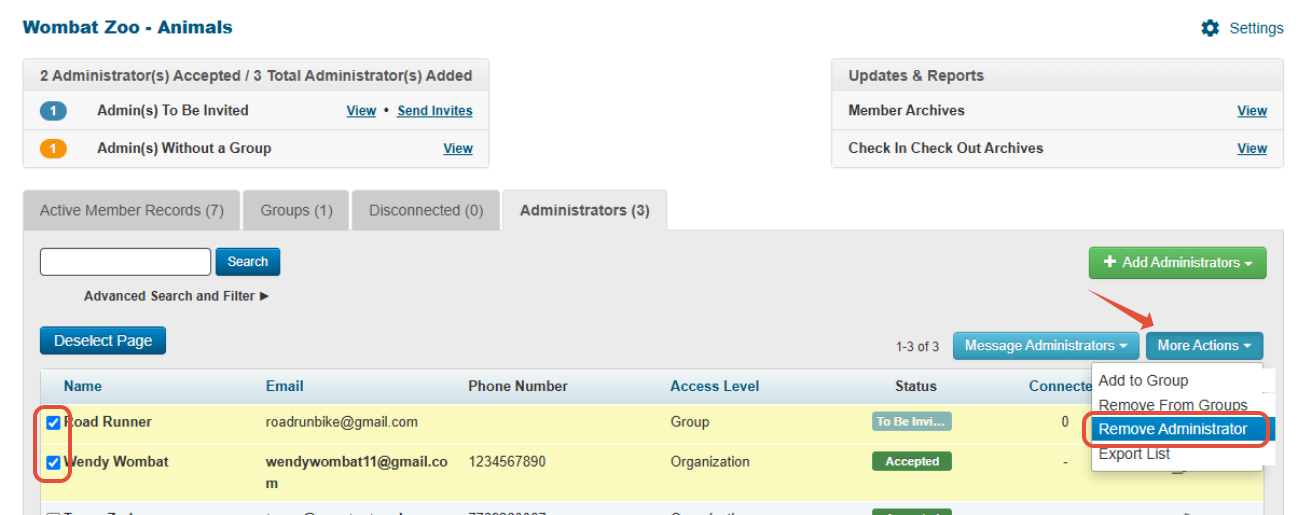
- Click More Actions, then Remove Administrator.
- Click OK.

Removing more than 50 administrators at once? Click Start on the next page to begin the bulk action.