
Editing Member Names and Emails
Organization & Group administrators can edit member records to make changes to names or imported email addresses.
PLEASE NOTE: You cannot change a verified email address. This is the email connected to an ePACT account (be it the member, parent, or legal guardian's account). For directions to change the email address on an ePACT account, please CLICK HERE.
To edit a member's record, click on the Edit icon ( ) in the same row as the member's name to edit their information.
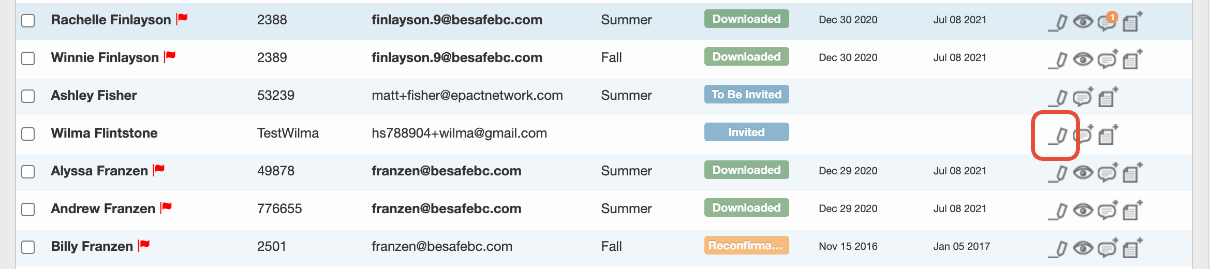
Next, make any necessary changes (including editing or adding an email) and once you make the changes, don't forget to hit the green Save button or else the changes will not go through. In the image below, we have added in a new email as an example.
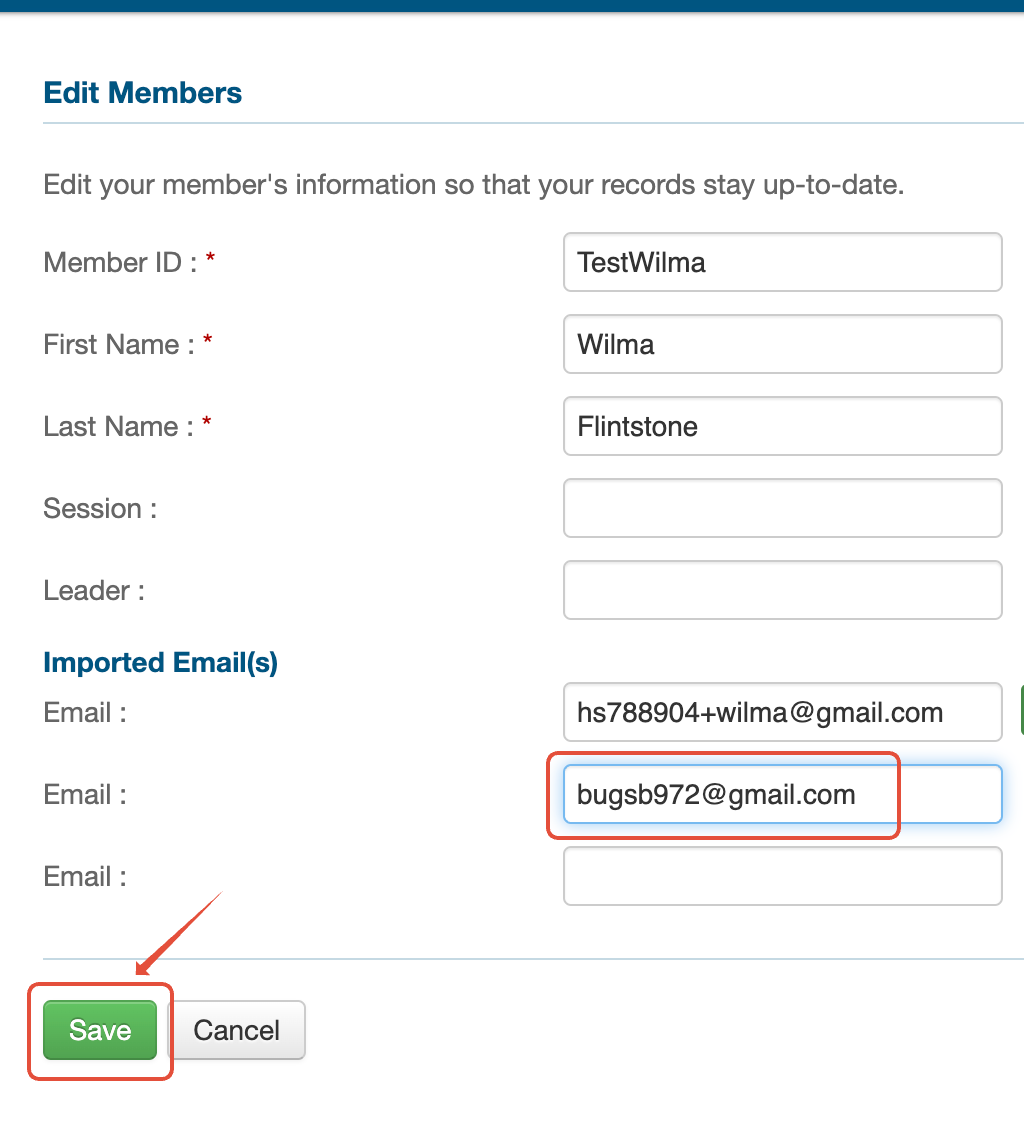
If you've added or edited an email address on a record in Invited status, please be sure to send a new invitation.
Editing MemberIDs
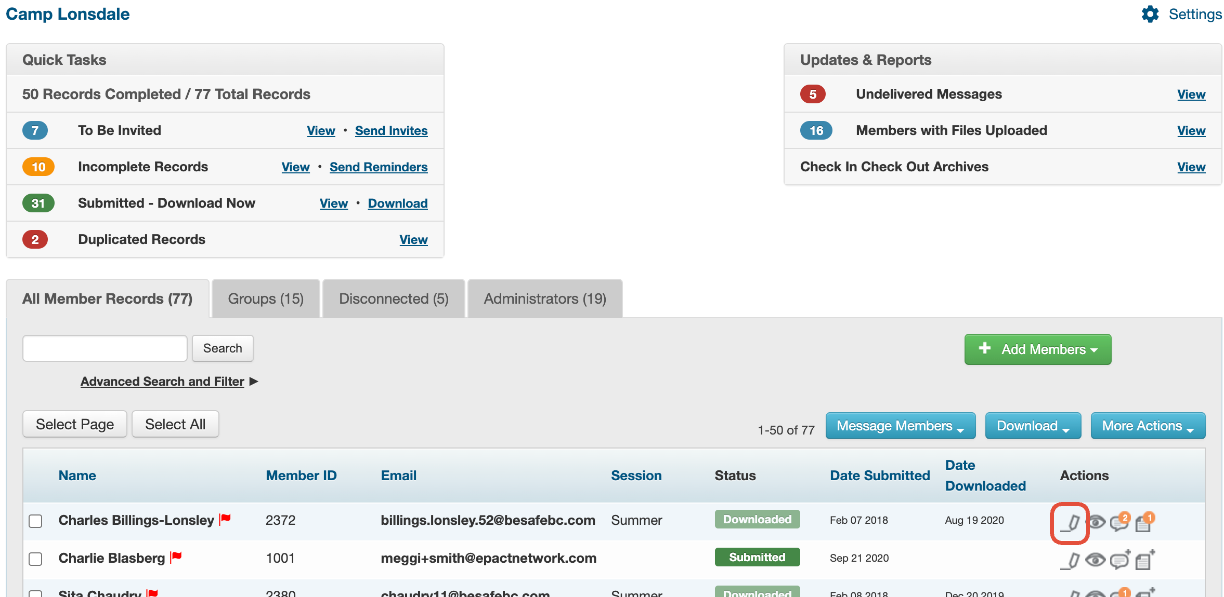
Organization Admins can now edit member IDs by selecting the pencil icon beside the member.
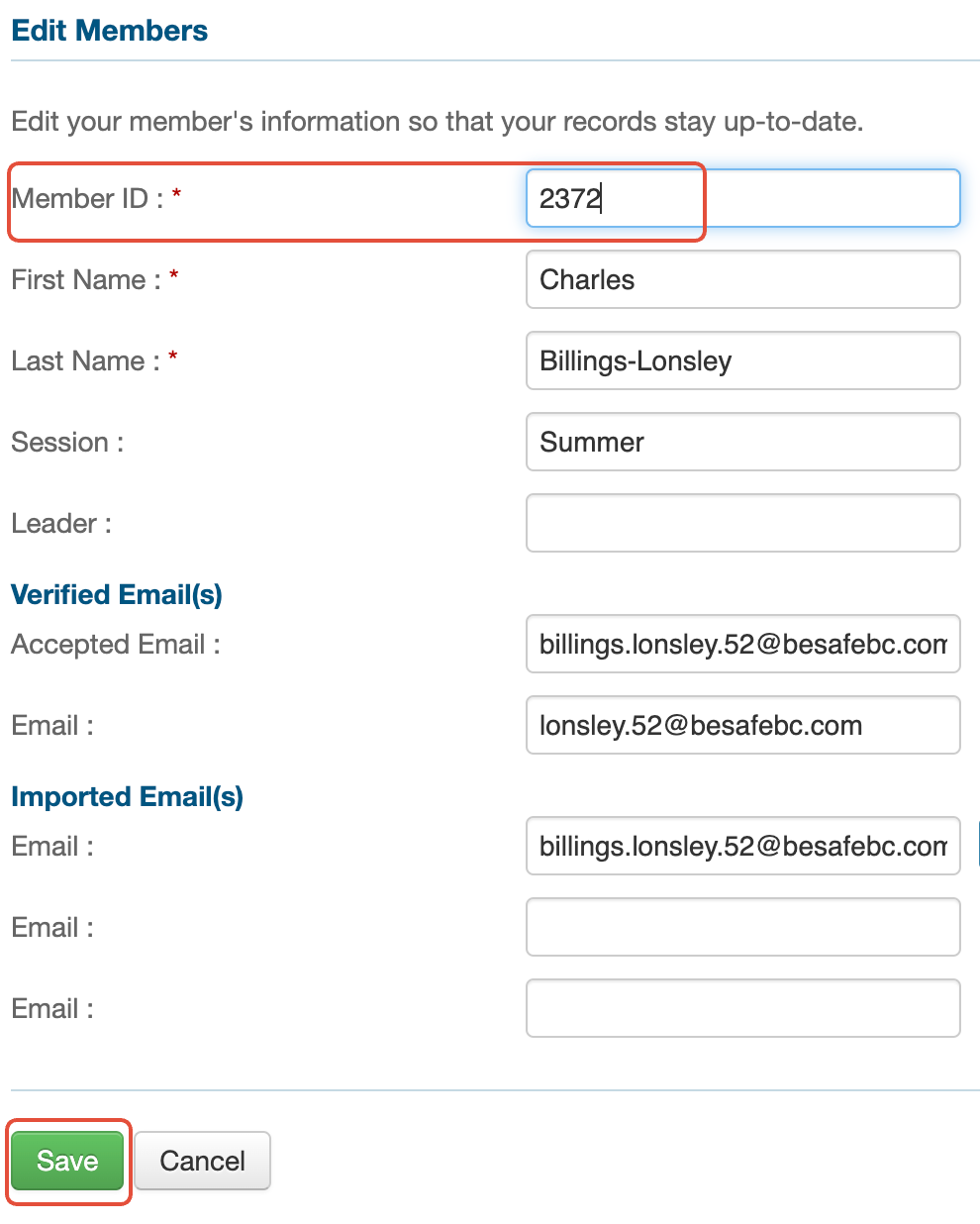
On this page, you will be able to edit the MemberID, ensuring you save your changes afterwards.
If you are a group admin, you do not have this ability yet. Please contact your organization administrator for assistance.