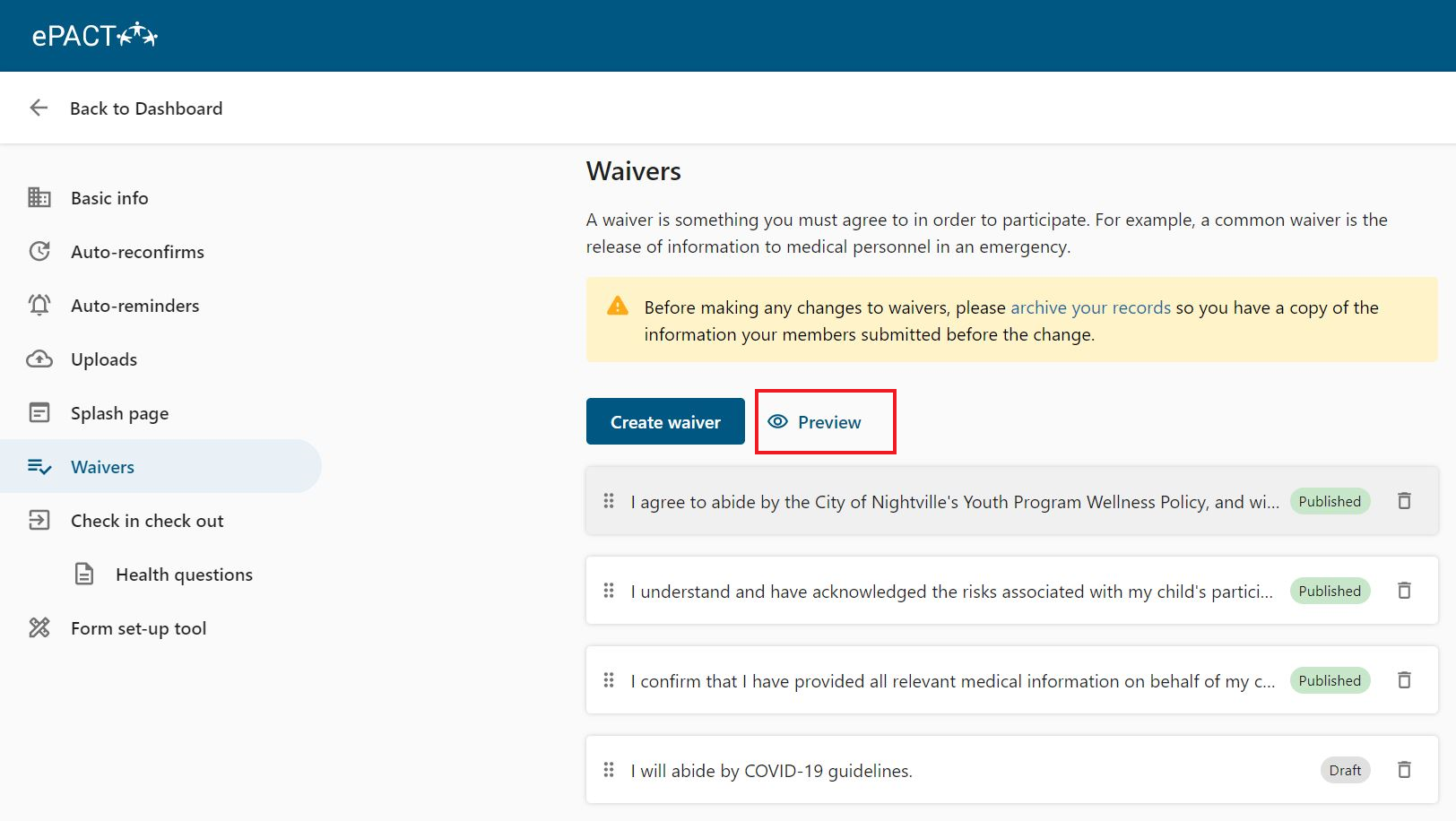
Organizations can view, add, edit and delete their own waivers from their Dashboard.
To access your waivers, go to the Settings on your dashboard, and select Waivers. You'll see a list of your current waivers.

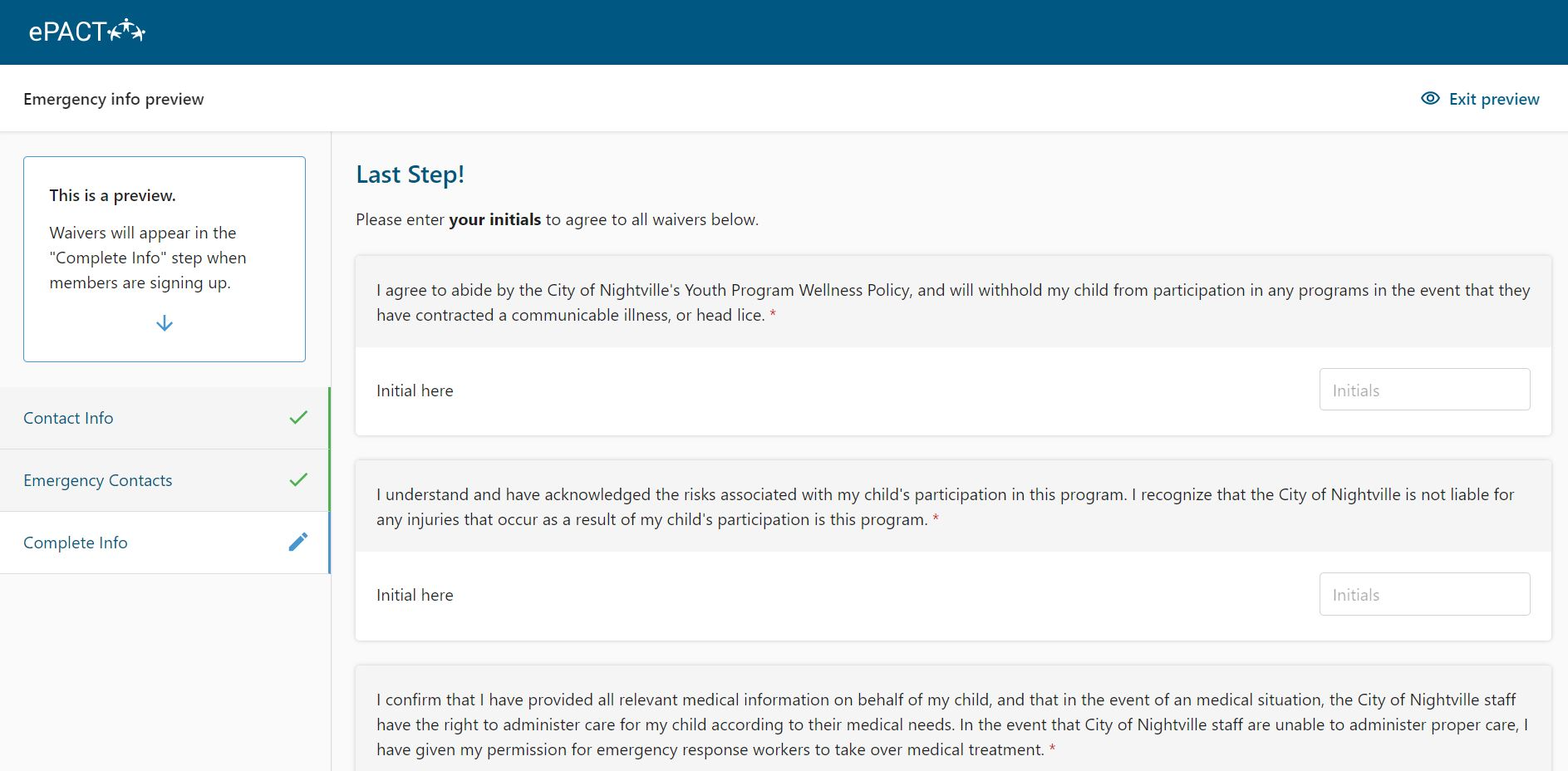
Published waivers are live and visible to members. Those in Draft are not. Click on Preview to see waivers as they appear to members. Preview will show you both published waivers and drafts.