If you have already shared the form, please follow these steps instead: Adding a file after sharing a record with an organization. : Help Center
If you have not finalized your form yet, please follow these steps:
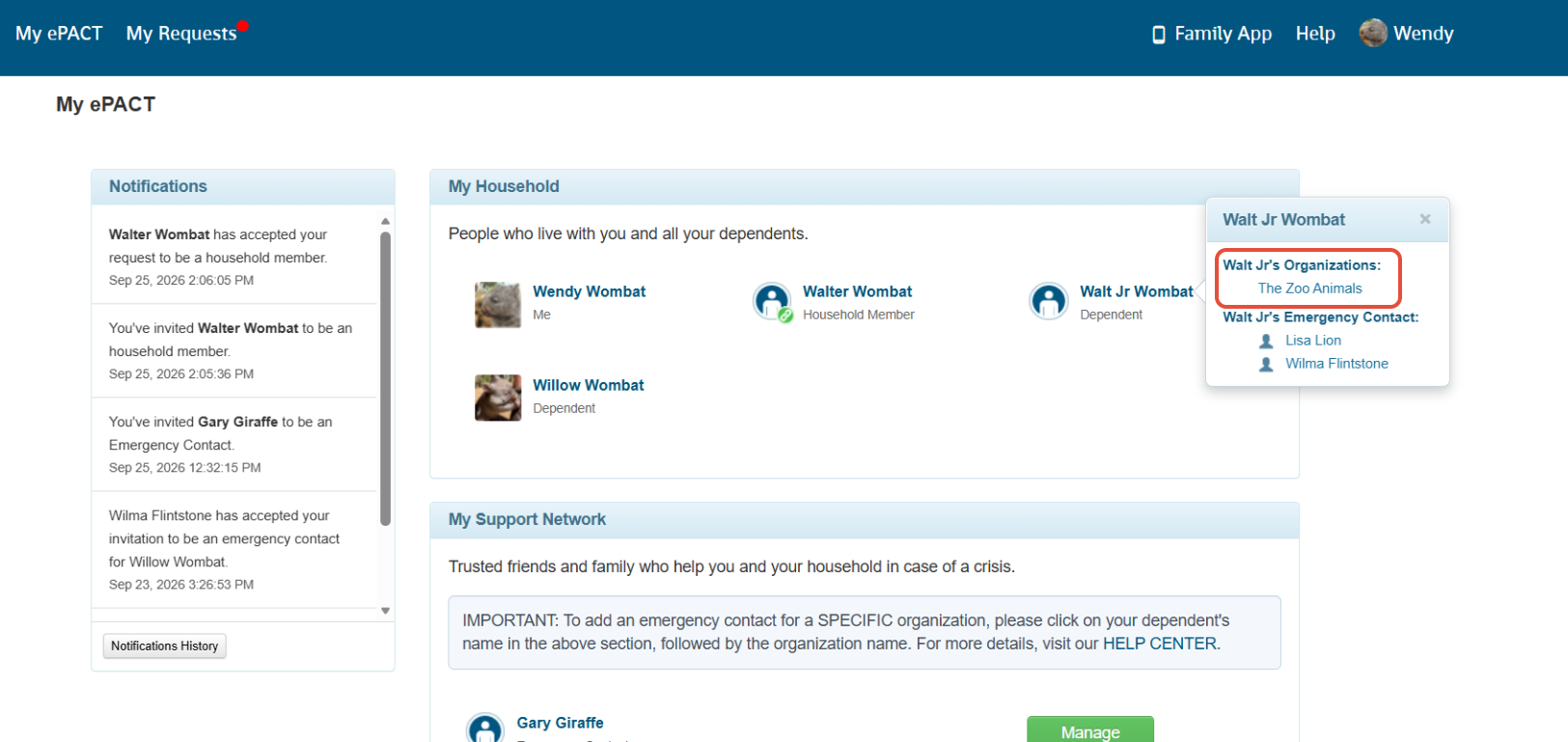
On your My ePACT page, click on your name or the name of the dependent that you would like to share information for, and then the name of the organization that you'd like to send the information to.
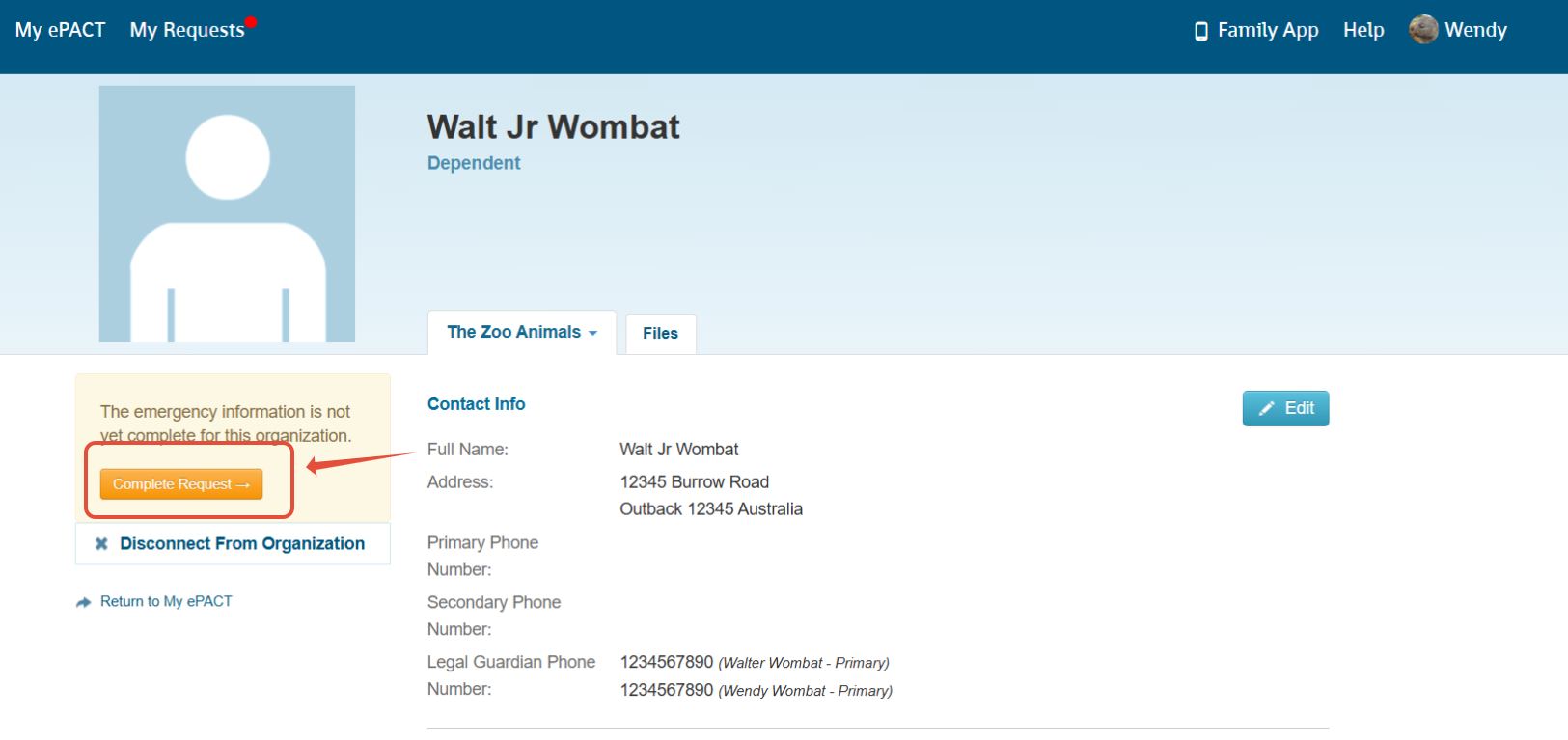
If you haven't shared the form yet, please click the Complete Request button on the left hand side.
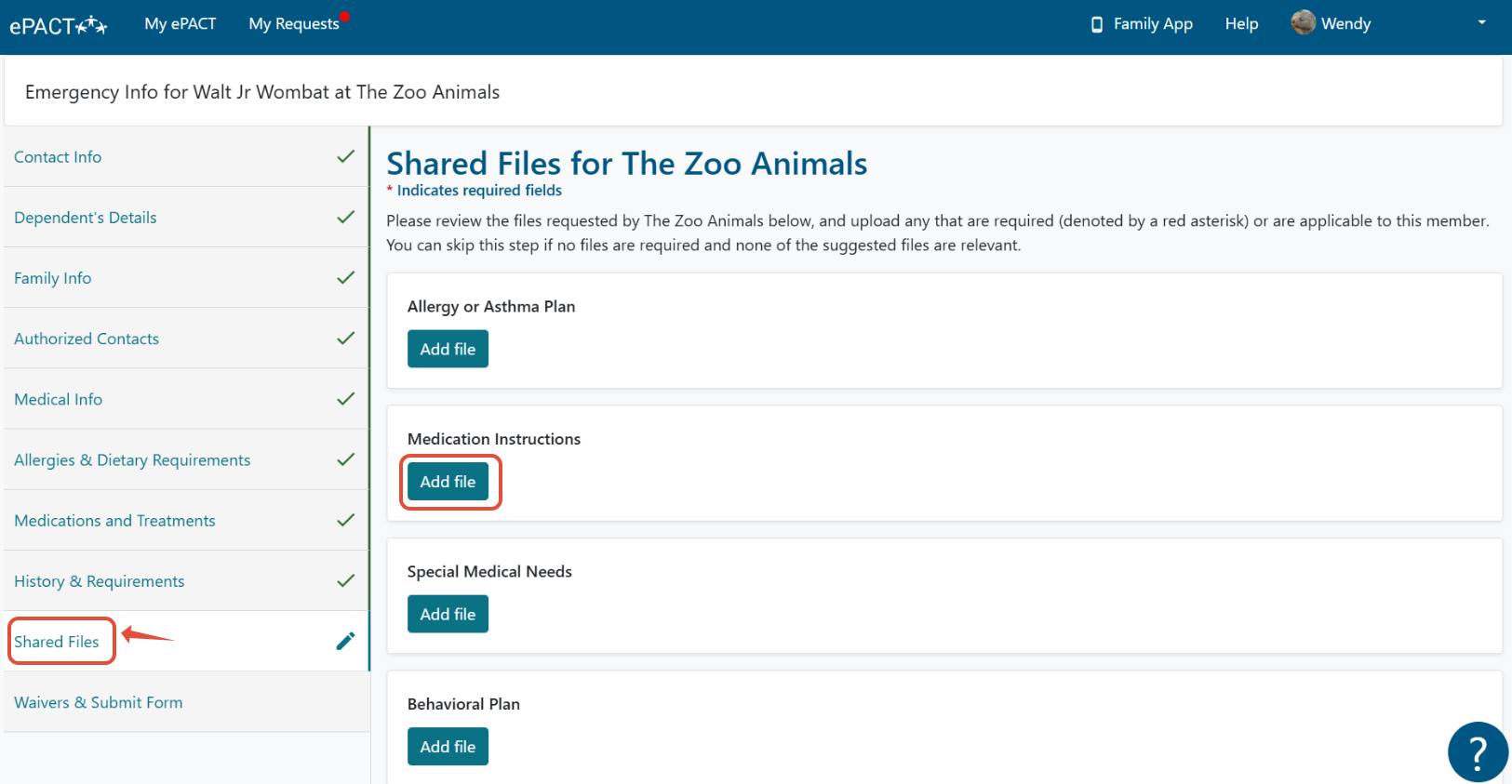
Click on Shared Files on the left hand side and click on Add File under the correct file option.
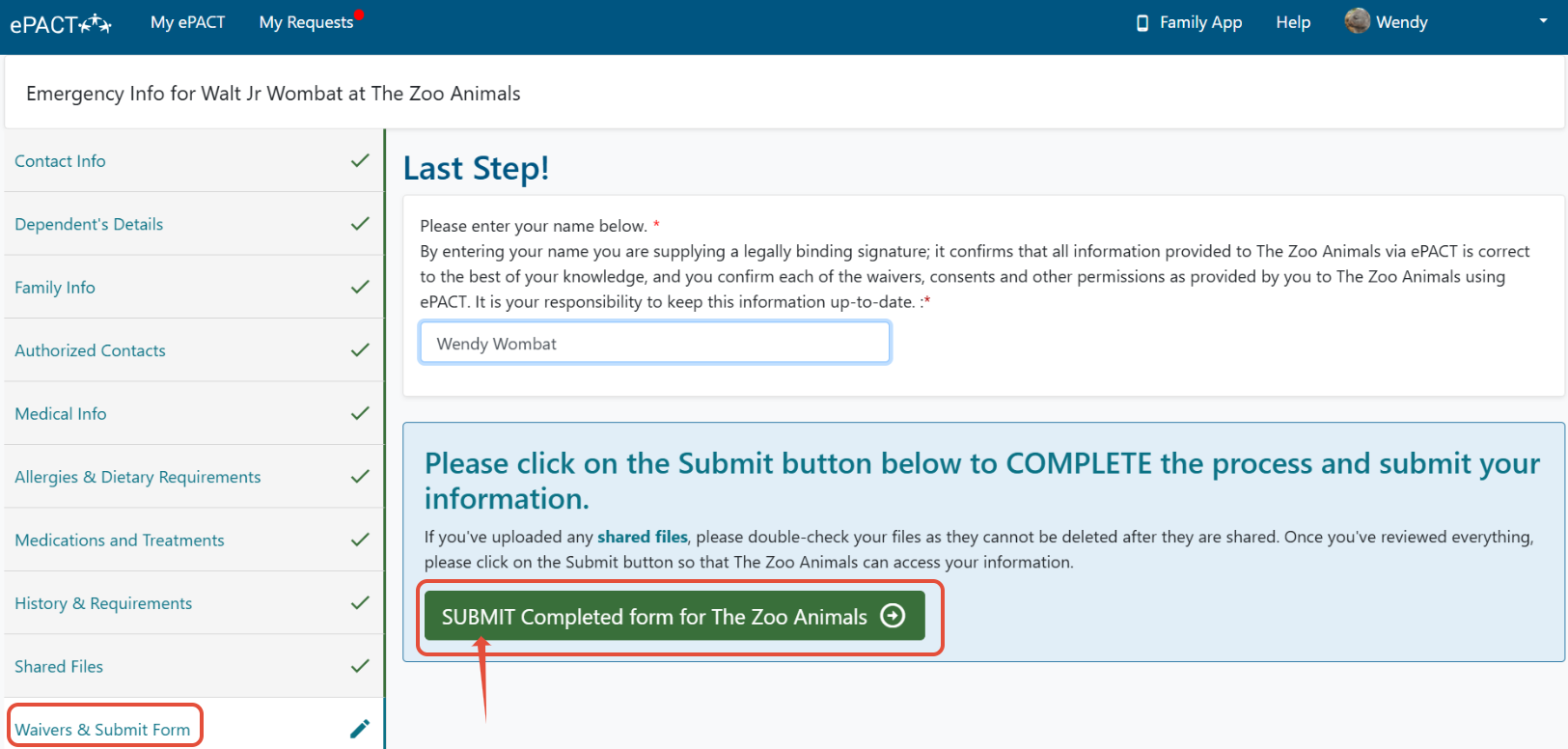
When you are done completing the entire form, please be sure to click the SUBMIT button at the last step.