
The Admin App works without internet, including during a major emergency, as long as you prepare while you're online. ePACT lets you access your members' PDF member records offline.
Before you go offline
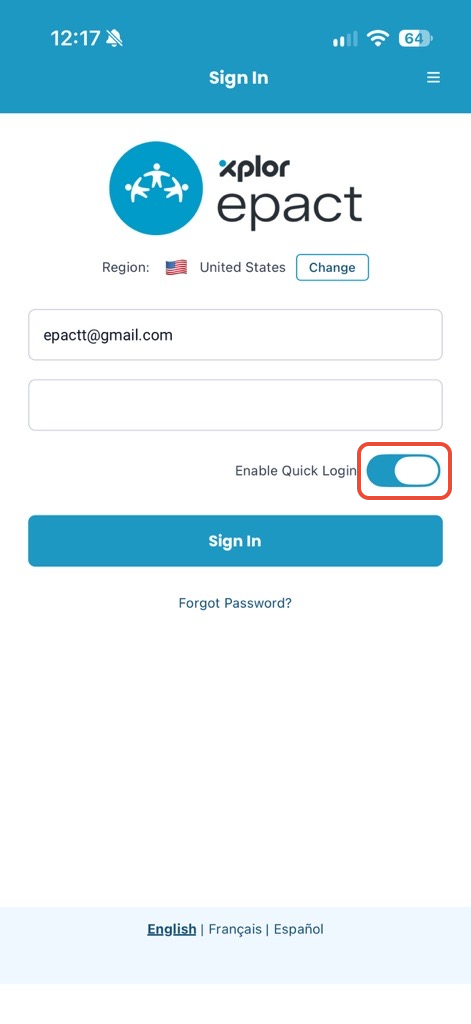
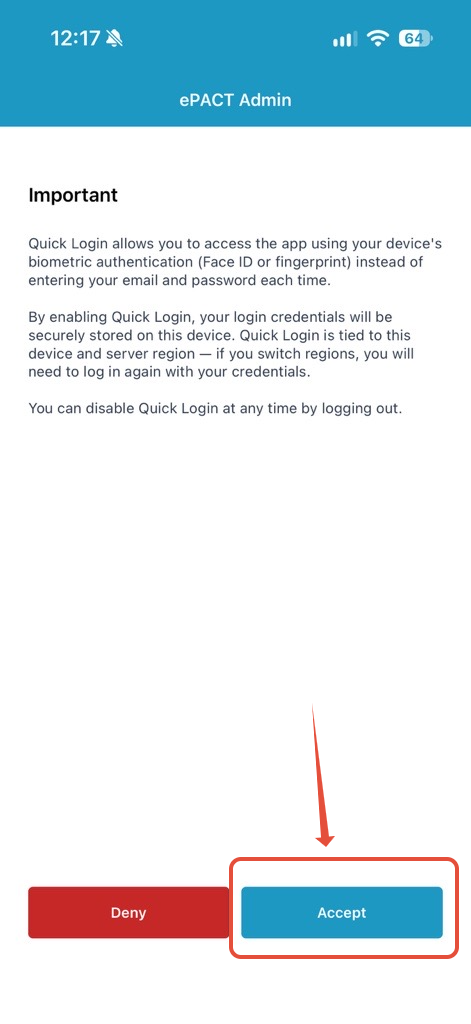
- Turn on Allow quick login. This lets the app use your device's biometrics instead of contacting the server to check your email and password. Without it, you can't log in offline.
- Once logged in and online, tap Update Member Records. This downloads and encrypts the latest records on your device for offline viewing.
Enabling Quick Login
Updating Member Records - How do I update member records and see my members' information? : Help Center
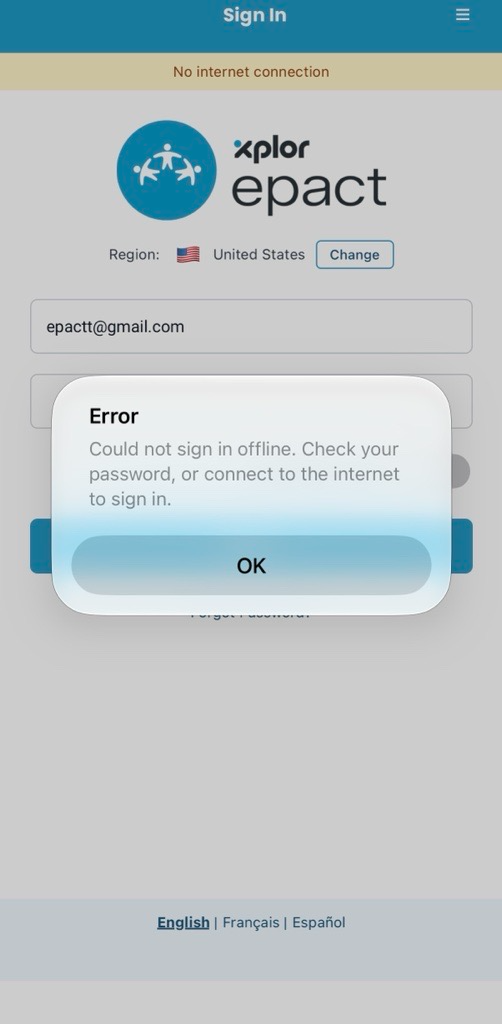
If you do not enable Quick Login before going offline, you will not be able to log into ePACT and will receive this error:
What works offline: your members' emergency records and comments as of your last update.
What needs internet: adding or editing comments, and opening uploaded files.